
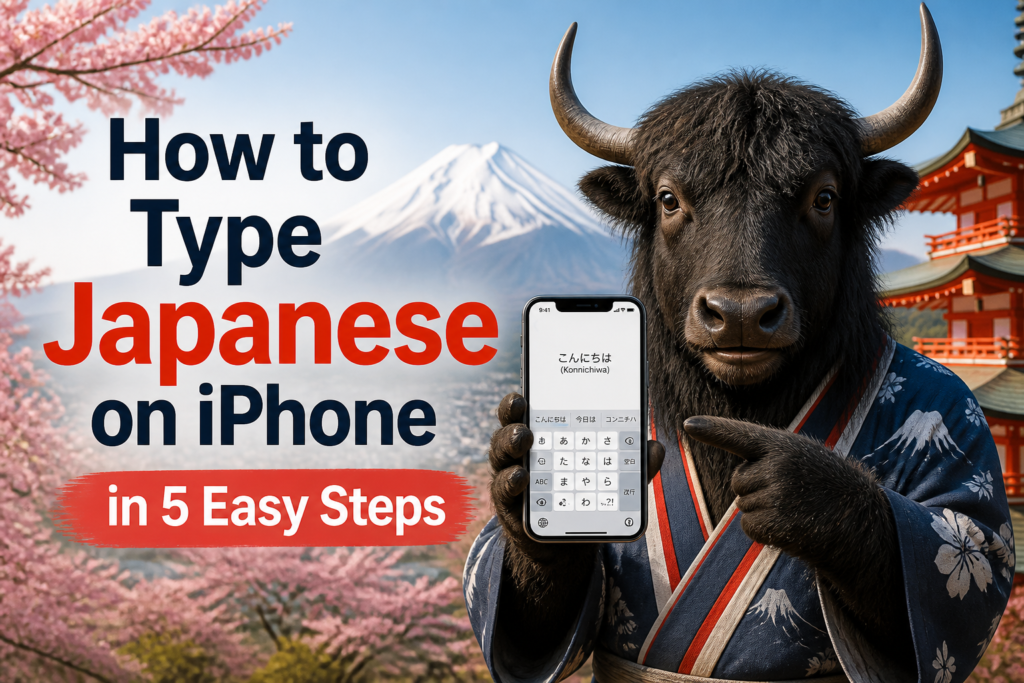
日本語入力 Nihongo nyūryoku means “Japanese input,” which is the polite little name for the magic that lets your iPhone turn plain letters like nihongo into 日本語 Nihongo, meaning “Japanese.” Example: 日本語入力をオンにしました。 Nihongo nyūryoku o on ni shimashita. “I turned on Japanese input.”
The good news: you do not need a Japanese iPhone, a secret keyboard app, or a dramatic montage with cherry blossoms. Your iPhone already has Japanese typing built in. You just have to invite it to the keyboard party.
The slightly annoying news: iPhone menus move around a little between iOS versions. Because apparently buttons enjoy traveling. Still, the path is almost always close to Settings → General → Keyboard, and the steps below will get you typing Japanese fast.
If you are also building your Japanese from zero, keep Yak Yacker’s Learn Japanese hub nearby. And when you want to check your level later, try the Japanese placement test or the Japanese vocabulary test.
The Fast Version
Here is the whole process before we slow it down and make it friendly.
- Open Settings on your iPhone.
- Tap General.
- Tap Keyboard, then Keyboards.
- Tap Add New Keyboard.
- Choose Japanese, then select Kana, Romaji, or both.
After that, open any app where you can type, tap the globe key, choose Japanese, and start typing. Your iPhone will offer Japanese conversion choices, including hiragana, katakana, and kanji. It is basically a tiny language assistant living under your thumb. Very convenient. Slightly smug.
Step One: Open Keyboard Settings
Start with the boring but powerful place: Settings. On your iPhone, open Settings, then tap General. From there, tap Keyboard.
The Japanese word 設定 Settei means “settings.” Example: 設定を開きます。 Settei o hirakimasu. “I open Settings.” You probably will not see this word in your English iPhone menu, but it is handy if you ever use a Japanese device, follow Japanese tutorials, or accidentally change your phone language and briefly enter the tech wilderness.
Inside Keyboard, tap Keyboards. This screen shows every keyboard currently installed on your iPhone, such as English, emoji, and anything else you have added. If your keyboard list is already chaotic, congratulations, you are a modern person.
Step Two: Add The Japanese Keyboard
Tap Add New Keyboard. Scroll until you find Japanese. Tap it.
You may see two Japanese keyboard options: Kana and Romaji. You can add one or both. If you are a beginner, adding both is a smart move. You can test them, choose your favorite, and feel very official while doing it.
| Keyboard Type | Japanese | Rōmaji | Meaning | Best For |
|---|---|---|---|---|
| Kana | 仮名 | Kana | Japanese syllabary characters | Learners who want to type directly with hiragana sounds and use flick input |
| Romaji | ローマ字 | Rōmaji | Roman letters used to write Japanese sounds | Beginners who want to type Japanese using English letters |
Both work. Neither is morally superior. The Kana keyboard feels more “Japanese” once you get used to it. The Romaji keyboard feels easier if your brain still wants to type Japanese through English letters. That is completely normal.
Step Three: Choose Kana, Romaji, Or Both
If you choose Romaji, you type Japanese sounds with the regular alphabet. For example, type nihongo, and your iPhone can suggest 日本語 Nihongo, meaning “Japanese.” Example: 日本語を勉強しています。 Nihongo o benkyō shite imasu. “I am studying Japanese.”
If you choose Kana, you type using a Japanese-style keyboard. On iPhone, this often means flick input. You tap or flick from a key to choose sounds. For example, the あ key can help you enter あ, い, う, え, or お depending on the direction you flick. It feels odd for about ten minutes, then your thumbs begin acting like they have always known this. Suspicious, but useful.
| Japanese | Rōmaji | English Meaning | Example Japanese | Example Rōmaji | English Translation |
|---|---|---|---|---|---|
| 漢字 | Kanji | Chinese-origin characters used in Japanese | 漢字を入力します。 | Kanji o nyūryoku shimasu. | I enter kanji. |
| 平仮名 | Hiragana | Basic Japanese phonetic script | 平仮名で書きます。 | Hiragana de kakimasu. | I write in hiragana. |
| 片仮名 | Katakana | Script often used for foreign words and emphasis | 片仮名も使います。 | Katakana mo tsukaimasu. | I also use katakana. |
| 仮名 | Kana | Hiragana and katakana together | 仮名を練習します。 | Kana o renshū shimasu. | I practice kana. |
| ローマ字 | Rōmaji | Roman letters for Japanese sounds | ローマ字で入力できます。 | Rōmaji de nyūryoku dekimasu. | You can type using romaji. |
| 入力 | Nyūryoku | Input; entering text | 名前を入力してください。 | Namae o nyūryoku shite kudasai. | Please enter your name. |
Step Four: Switch To The Japanese Keyboard
Now open Messages, Notes, Safari, or any app where you can type. Tap the text field so the keyboard appears. Then tap the globe key until you see the Japanese keyboard.
If you have many keyboards, press and hold the globe key. A list should appear. Choose Japanese from the list. This is faster than tapping the globe fifteen times like you are trying to summon a tiny digital dragon.
The phrase 切り替える Kirikaeru means “to switch.” Example: キーボードを切り替える。 Kībōdo o kirikaeru. “I switch the keyboard.” This verb is useful whenever you talk about changing modes, languages, screens, or plans.
Step Five: Type, Convert, And Select The Right Japanese
Here is the part that feels like magic the first time: Japanese typing is often a two-step process. First, you type the sound. Then, your iPhone suggests possible written forms. You choose the one you want.
For example, type watashi. Your iPhone may show わたし Watashi, meaning “I/me,” and 私 Watashi, meaning “I/me” in kanji. Example: 私は学生です。 Watashi wa gakusei desu. “I am a student.”
This is called conversion. The Japanese word 変換 Henkan means “conversion.” Example: ひらがなを漢字に変換します。 Hiragana o kanji ni henkan shimasu. “I convert hiragana into kanji.”
Yak wisdom: type the sound first, then choose the meaning. Japanese keyboards are less “type every character manually” and more “negotiate politely with the suggestion bar.”
Romaji Typing Examples For Beginners
With the Romaji keyboard, you type Japanese pronunciation using English letters. Your iPhone changes it into Japanese script. This is usually the easiest starting point if you already know some Japanese sounds.
| Type This | Japanese Result | Rōmaji | English Meaning | Example Japanese | Example Rōmaji | English Translation |
|---|---|---|---|---|---|---|
| nihongo | 日本語 | Nihongo | Japanese language | 日本語が好きです。 | Nihongo ga suki desu. | I like Japanese. |
| kanji | 漢字 | Kanji | Kanji characters | 漢字は面白いです。 | Kanji wa omoshiroi desu. | Kanji is interesting. |
| arigatou | ありがとう | Arigatō | Thank you | ありがとうございます。 | Arigatō gozaimasu. | Thank you very much. |
| ohayou | おはよう | Ohayō | Good morning | おはようございます。 | Ohayō gozaimasu. | Good morning. |
| sensei | 先生 | Sensei | Teacher | 先生に聞きます。 | Sensei ni kikimasu. | I ask the teacher. |
| gakkou | 学校 | Gakkō | School | 学校へ行きます。 | Gakkō e ikimasu. | I go to school. |
| tomodachi | 友達 | Tomodachi | Friend | 友達と話します。 | Tomodachi to hanashimasu. | I talk with a friend. |
| tabemasu | 食べます | Tabemasu | Eat | 寿司を食べます。 | Sushi o tabemasu. | I eat sushi. |
| ikimasu | 行きます | Ikimasu | Go | 駅へ行きます。 | Eki e ikimasu. | I go to the station. |
| kaimasu | 買います | Kaimasu | Buy | 本を買います。 | Hon o kaimasu. | I buy a book. |
Notice a small typing trick: long vowels often use extra letters in romaji typing. For example, gakkou becomes 学校 Gakkō, meaning “school.” Example: 学校は近いです。 Gakkō wa chikai desu. “The school is near.” Your iPhone usually understands common spellings, so do not panic if you are not perfect right away.
How To Type Small っ, ん, And Long Vowels
Some Japanese sounds look mysterious until you learn the keyboard trick. Then they become normal. Still annoying sometimes, but normal.
| What You Want | Type This In Romaji | Japanese | Rōmaji | Meaning | Example Japanese | Example Rōmaji | English Translation |
|---|---|---|---|---|---|---|---|
| Small っ | Double the next consonant, like kk or tt | 切手 | Kitte | Postage stamp | 切手を買います。 | Kitte o kaimasu. | I buy a postage stamp. |
| ん before vowels | Type nn if needed | 案内 | Annai | Guidance; information | 案内を見ます。 | Annai o mimasu. | I look at the information. |
| Long お sound | Usually ou | 東京 | Tōkyō | Tokyo | 東京に住んでいます。 | Tōkyō ni sunde imasu. | I live in Tokyo. |
| Long え sound | Often ei | 先生 | Sensei | Teacher | 先生は親切です。 | Sensei wa shinsetsu desu. | The teacher is kind. |
| Small ゃ, ゅ, ょ | Type kya, shu, cho, etc. | 今日 | Kyō | Today | 今日は忙しいです。 | Kyō wa isogashii desu. | Today is busy. |
For small っ, think of it as a tiny pause. In romaji typing, you usually double the consonant after it. So kitte becomes 切手 Kitte, meaning “postage stamp.” Example: 切手はいくらですか。 Kitte wa ikura desu ka. “How much is the postage stamp?”
Useful Japanese Phrases To Practice Typing
Now for the fun part: actual phrases. Type these into Notes or Messages and watch your iPhone suggest different Japanese forms. Choose the best-looking option, and do not worry if the first suggestion is weird. Japanese input predictions sometimes act confident while being wrong. Relatable, honestly.
| Japanese | Rōmaji | English Meaning | Example Japanese | Example Rōmaji | English Translation |
|---|---|---|---|---|---|
| こんにちは | Konnichiwa | Hello | こんにちは、元気ですか。 | Konnichiwa, genki desu ka. | Hello, how are you? |
| ありがとう | Arigatō | Thank you | ありがとう、助かりました。 | Arigatō, tasukarimashita. | Thank you, that helped. |
| すみません | Sumimasen | Excuse me; sorry | すみません、駅はどこですか。 | Sumimasen, eki wa doko desu ka. | Excuse me, where is the station? |
| お願いします | Onegai shimasu | Please; I request it | 水をお願いします。 | Mizu o onegai shimasu. | Water, please. |
| 大丈夫です | Daijōbu desu | It is okay; I am okay | はい、大丈夫です。 | Hai, daijōbu desu. | Yes, it is okay. |
| 分かりました | Wakarimashita | I understand | はい、分かりました。 | Hai, wakarimashita. | Yes, I understand. |
| 分かりません | Wakarimasen | I do not understand | すみません、分かりません。 | Sumimasen, wakarimasen. | Sorry, I do not understand. |
| もう一度 | Mō ichido | One more time | もう一度お願いします。 | Mō ichido onegai shimasu. | One more time, please. |
| ゆっくり話してください | Yukkuri hanashite kudasai | Please speak slowly | ゆっくり話してください。 | Yukkuri hanashite kudasai. | Please speak slowly. |
| 写真を撮ってもいいですか | Shashin o totte mo ii desu ka | May I take a photo? | ここで写真を撮ってもいいですか。 | Koko de shashin o totte mo ii desu ka. | May I take a photo here? |
| トイレはどこですか | Toire wa doko desu ka | Where is the restroom? | すみません、トイレはどこですか。 | Sumimasen, toire wa doko desu ka. | Excuse me, where is the restroom? |
| また後で | Mata ato de | See you later | では、また後で。 | Dewa, mata ato de. | Well then, see you later. |
How To Pick The Right Kanji Suggestion
Japanese has many words that sound the same but use different kanji. Your iPhone will guess from context, but it does not read your soul. Thankfully. So you need to check the suggestion before sending.
For example, hashi can become several words. The pronunciation is similar, but the meaning changes completely. This is why the suggestion bar matters.
| Japanese | Rōmaji | English Meaning | Example Japanese | Example Rōmaji | English Translation |
|---|---|---|---|---|---|
| 橋 | Hashi | Bridge | 橋を渡ります。 | Hashi o watarimasu. | I cross the bridge. |
| 箸 | Hashi | Chopsticks | 箸を使います。 | Hashi o tsukaimasu. | I use chopsticks. |
| 端 | Hashi | Edge; end | 机の端に置きます。 | Tsukue no hashi ni okimasu. | I put it on the edge of the desk. |
Context helps. If you type a full sentence, your iPhone usually gives better suggestions. Typing only one word can make the keyboard guess like a tired fortune teller.
Kana Keyboard Tips For Flick Input
If you use the Kana keyboard, the layout is based around Japanese sound groups. You tap or flick to choose the sound you want. This can feel slower at first, but many Japanese speakers type extremely fast with it.
The word 練習 Renshū means “practice.” Example: 毎日練習します。 Mainichi renshū shimasu. “I practice every day.” That is the secret. Not exciting. Annoyingly effective.
| Kana Key | Possible Sounds | Rōmaji | Practice Word | Word Rōmaji | Meaning | Example Japanese | Example Rōmaji | English Translation |
|---|---|---|---|---|---|---|---|---|
| あ | あ・い・う・え・お | a, i, u, e, o | 青 | Ao | Blue | 青が好きです。 | Ao ga suki desu. | I like blue. |
| か | か・き・く・け・こ | ka, ki, ku, ke, ko | 書く | Kaku | Write | 名前を書く。 | Namae o kaku. | I write my name. |
| さ | さ・し・す・せ・そ | sa, shi, su, se, so | 寿司 | Sushi | Sushi | 寿司を食べます。 | Sushi o tabemasu. | I eat sushi. |
| た | た・ち・つ・て・と | ta, chi, tsu, te, to | 友達 | Tomodachi | Friend | 友達に会います。 | Tomodachi ni aimasu. | I meet a friend. |
| な | な・に・ぬ・ね・の | na, ni, nu, ne, no | 猫 | Neko | Cat | 猫が寝ています。 | Neko ga nete imasu. | The cat is sleeping. |
With flick input, do not rush at the start. Accuracy first, speed later. Your thumbs will adapt. Thumbs are weirdly talented.
Common Problems And Quick Fixes
If Japanese typing is not working, it is usually one of these simple problems. Happily, none of them require throwing your phone into the sea.
| Problem | Likely Cause | Quick Fix |
|---|---|---|
| You cannot find Japanese in the keyboard | You may be in the wrong Keyboard screen | Go to Settings → General → Keyboard → Keyboards → Add New Keyboard |
| The globe key does not show Japanese | The Japanese keyboard was not added yet | Add Japanese again and make sure Kana or Romaji is selected |
| You type romaji but get English | You are still on the English keyboard | Tap or hold the globe key and switch to Japanese |
| The wrong kanji appears | The keyboard guessed the wrong meaning | Type more of the sentence, then choose the correct suggestion |
| You cannot type small っ | The doubled consonant was not typed | Type double consonants, such as kitte for 切手 Kitte, “stamp” |
| Japanese suggestions disappeared | Predictive text or keyboard behavior may be off | Check Keyboard settings and restart the app if needed |
Quick Reference: Japanese Typing Words
These words are useful when reading Japanese keyboard guides, app settings, or language-learning explanations.
| Japanese | Rōmaji | English Meaning | Example Japanese | Example Rōmaji | English Translation |
|---|---|---|---|---|---|
| 文字 | Moji | Character; letter | 文字を入力します。 | Moji o nyūryoku shimasu. | I enter characters. |
| 文章 | Bunshō | Sentence; text | 文章を書きます。 | Bunshō o kakimasu. | I write a sentence. |
| 候補 | Kōho | Suggestion; candidate | 正しい候補を選びます。 | Tadashii kōho o erabimasu. | I choose the correct suggestion. |
| 選ぶ | Erabu | To choose | 漢字を選ぶ。 | Kanji o erabu. | I choose kanji. |
| 消す | Kesu | To delete; erase | 間違いを消す。 | Machigai o kesu. | I delete the mistake. |
| 送る | Okuru | To send | メッセージを送る。 | Messēji o okuru. | I send a message. |
| 間違い | Machigai | Mistake | 間違いを直します。 | Machigai o naoshimasu. | I fix the mistake. |
| 予測 | Yosoku | Prediction | 予測が便利です。 | Yosoku ga benri desu. | Prediction is convenient. |
A Simple Practice Routine
Typing Japanese gets easier when you practice with short, useful sentences. Five minutes is enough. No need to create a heroic study schedule that collapses by Thursday.
- Open the Notes app.
- Switch to the Japanese keyboard with the globe key.
- Type five greetings, such as こんにちは Konnichiwa, meaning “Hello.” Example: こんにちは、田中さん。 Konnichiwa, Tanaka-san. “Hello, Mr./Ms. Tanaka.”
- Type five daily words, such as 学校 Gakkō, meaning “school.” Example: 学校へ行きます。 Gakkō e ikimasu. “I go to school.”
- Type three full sentences and choose the correct kanji suggestions.
- Read your sentences out loud once. Yes, out loud. The room can handle it.
If you want more structured practice after this, the guide at this Japanese learning resource can help you keep moving instead of just collecting keyboards like digital souvenirs.
Quick FAQ
Should Beginners Use Kana Or Romaji On iPhone?
Beginners can start with Romaji because it feels familiar. But it is worth trying Kana early, especially if you want to get faster at Japanese-style typing. A good plan is to install both and use Romaji for comfort, Kana for practice.
Can I Type Kanji Directly?
Usually, you type the pronunciation first, then choose kanji from the suggestion bar. For example, type hon and choose 本 Hon, meaning “book.” Example: 本を読みます。 Hon o yomimasu. “I read a book.”
Why Does My iPhone Choose The Wrong Kanji?
Many Japanese words share the same pronunciation. Type more context before choosing. For example, 雨 Ame means “rain.” Example: 雨が降っています。 Ame ga futte imasu. “It is raining.” But 飴 Ame means “candy.” Example: 飴を食べます。 Ame o tabemasu. “I eat candy.” Same sound, very different weather report.
Do I Need A Special App?
No. The built-in iPhone Japanese keyboard is enough for normal messages, notes, searches, and study. Special apps can be useful later, but you do not need one just to type Japanese.
Yak Takeaway
To type Japanese on iPhone, go to Settings → General → Keyboard → Keyboards → Add New Keyboard → Japanese. Add Romaji if you want the easiest start. Add Kana if you want the authentic thumb workout. Add both if you enjoy having options like a sensible person.
Then switch keyboards with the globe key, type the pronunciation, and choose the right Japanese from the suggestion bar. Practice with real phrases like ありがとう Arigatō, meaning “Thank you.” Example: ありがとう、またね。 Arigatō, mata ne. “Thanks, see you.”
That is it. Your iPhone can now type Japanese. Your thumbs are bilingual. Please use this power responsibly, or at least to send better messages than “sushi lol.”