


I’ve been yacking about language apps for a few years now, and Anki is the one I keep circling back to without ever quite landing on. It’s the app that people who are serious about languages mention in that lowered voice, like they’re telling you about a gym where the plates are rusted and nobody talks to you but everyone’s jacked.
I’d heard about it forever. Anki this, spaced repetition that, “you have to build the deck yourself but that’s the whole point.”
So when a friend of mine, who’s been grinding Japanese for three years and has the kanji calluses to prove it, told me for the third time that I should just try it, I finally did. Two weeks.
Desktop first, then AnkiDroid on my phone. A small deck of Spanish cards made from words I’d actually run into, plus one fat shared deck imported late in the first week because I wanted to understand why everyone warns you about them.
I understand now. I understand in my bones.
Let me say up front what this review is and isn’t. It isn’t a lab study.
I didn’t run retention curves in a spreadsheet or compare my recall rates against a control group of me using flashcards made of actual paper. I used Anki the way a normal person uses Anki: badly at first, then a bit better, then with a specific low-grade dread around 9 p.m.
If you want the psychometrics of FSRS, the official docs are right there and they’re genuinely good. What I can give you is what the thing feels like from the inside, which is a question the docs don’t answer.
The short version: Anki works. It works so reliably that it’s almost annoying, because you can’t blame the app when you don’t learn something.
You skipped three days, the review pile quadrupled, that’s on you, buddy. There’s no cute streak owl and no confetti.
The queue is the leash, and Anki holds it with zero sentimentality. It’s also ugly, unintuitive on first contact, and it will absolutely let you build a deck of 10,000 cards that ruins your month if you let it.
It is a power tool, and power tools don’t care about your feelings.
My first honest reaction, opening the desktop app for the first time, was deflation. You install it, you launch it, and you get… a blank window with a deck list that has nothing in it.
That’s it. That’s the whole welcome wagon.
No onboarding, no sample deck, no “let’s make your first card!” wizard with a friendly cartoon. Just an empty list and a row of buttons whose names mean nothing yet.
I sat there for a second thinking I’d done something wrong. I hadn’t.
That’s Anki. That blank window is, I’m convinced, the single biggest quit moment in the entire app, and I’d bet money it kills more language-learning attempts than any bug ever has.
Duolingo would never. Duolingo would hand you a bird and a congratulation for existing.
Anki hands you a table saw and walks away.
And yet. Two weeks later I can tell you that the recall I got from maybe forty hand-made sentence cards was better than anything I got from months of tapping green buttons on other apps.
When a card I’d built myself came up, I remembered the sentence, the context, the podcast I’d heard it in, and the annoyed tone of the person who said it. That’s not a flashcard memory, that’s a real memory with a hook in it.
The stuff I imported from a giant shared deck? Recognition, mostly.
I could pick the right English word out of a lineup. Ask me to produce it in conversation and my brain served up a dial tone.
So this review is the story of those two weeks: the blank window, the ten sentence cards, the fat deck import, the night I rated a card Hard by mistake and confused the scheduler for a day, the whole deal. Genuinely effective, genuinely hostile to beginners, and I’d recommend it to exactly one type of person, which I’ll describe near the end.
If that’s not you, we review other options that will cost you less friction. Alright.
Let’s yack.
7 out of 10 Yaks



What Anki is
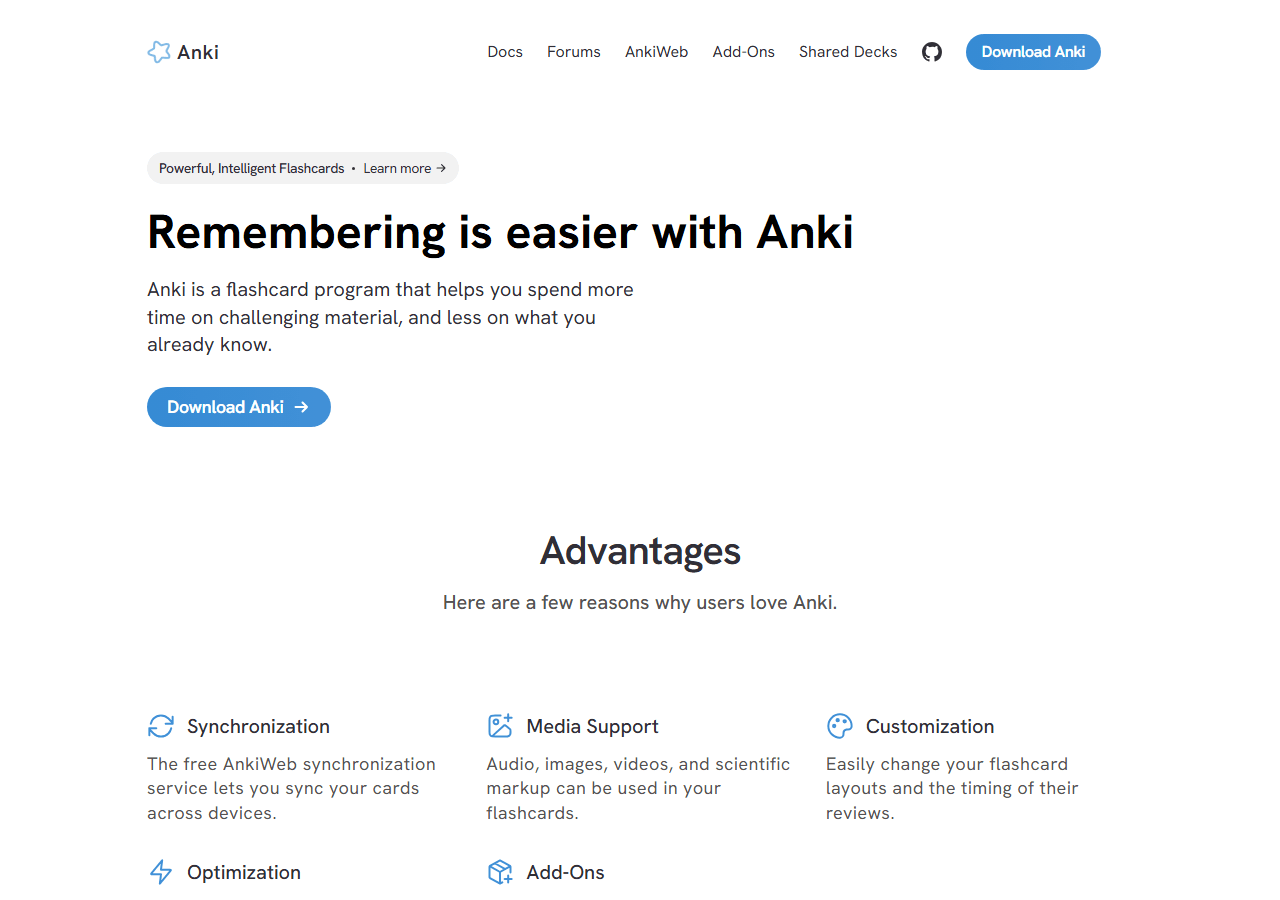
Anki is a flashcard program with a scheduling algorithm bolted onto it. That’s the honest one-line description, and every word of it matters.
You make cards. Each card has a front and a back.
The front shows you something, you try to recall the answer, you flip it, and then you rate how well you did. The scheduling algorithm, based on spaced repetition, decides when to show you that card again.

Get it right easily and you won’t see it for days or weeks. Get it wrong and it comes back within the same session.
Over time, the intervals stretch out, and the idea is that you review each card just before you’d naturally forget it.
The name is the Japanese word for memorization, and the project is old enough that its design sensibilities come from a different era of software. That’s not a cheap shot, it’s useful context.
Anki was built by people who cared about the scheduling problem, and the scheduling problem got solved beautifully, and everything around it, the interface, the discoverability, the aesthetics, got solved to the standard of “a programmer was using this daily anyway.”
Critically: Anki is not a course. It does not teach you Spanish.
It does not explain grammar, walk you through a curriculum, or tell you what to learn next. There’s no lesson 1 of 139 like we have over in our English lessons, starting from Lesson 1.
Anki is a memory machine. You feed it material you’ve already encountered and it makes sure the material sticks.
That division of labour, encounter somewhere, retain with Anki, is how every serious Anki user I know actually uses it. The ones who try to make Anki the whole thing tend to burn out by week three.
The core loop, once you’re actually in it, is dead simple. A card comes up.
Front of the card, you recall, you hit one of four buttons: Again, Hard, Good, or Easy. That’s it.
That’s the whole interaction, repeated a few hundred times. Cards live in states, New, Learning, Review, Relearn, which the app tracks and shows you as coloured numbers next to your deck.
It sounds clinical because it is clinical, and it works because it’s clinical.
There’s a shared ecosystem too: AnkiWeb hosts free cloud sync, and there are enormous libraries of shared decks and add-ons that other people have built. More on both later, including the shared deck that briefly ruined my Tuesday.
How we used Anki for two weeks
Two weeks, Spanish, because Spanish is the language I actually have a reason to work on and we’ve got a whole learn Spanish section if you want to see where I’m at. Here’s how it went, day by day-ish.
Days 1 to 3: desktop only. I installed Anki on my laptop, hit the blank deck list, made tea, and came back. The official line, and it’s the right one, is to make your own cards, so that’s what I did.
I pulled up a podcast episode I’d already listened to and mostly understood, picked out sentences, and built cloze cards out of them. Ten cards the first night.
It took about forty minutes, which felt absurd for ten cards until I realized most of that time was me re-listening to the audio to clip the sentence in my head, which is to say, most of that time was studying. The card-making was the studying.
That’s the trick nobody tells you upfront.
Each card was a sentence I’d genuinely met, with audio if I could manage it, and a blank where the target word went. “El tren llega ___ de la tarde” type of thing.
Nothing exotic. But because each card came from real input, each card had a tiny story attached, and recalling the answer meant re-inhabiting that little scene.
Days 4 to 7: AnkiDroid enters. I put AnkiDroid on my phone, signed into AnkiWeb, and the sync just worked. Ten cards sync in about a second, so I can’t speak to how it handles giant decks at first, but for my purposes the free cloud sync was completely painless.
Doing reviews on the bus, in a lineup at Tim’s, sprawled on the couch, that’s when Anki actually earns its keep. Desktop-only Anki is a habit that dies; phone Anki is a habit that survives.
Day 6 or so: the fat deck. Wanting to understand the thing everyone warns about, I imported a big shared frequency deck, several thousand cards of the “most common Spanish words.” The import itself was fine.
The next morning’s review count was not fine. Even capped, the New cards kept coming like a conveyor belt, and none of them had any story attached.
They were just words. Word, English word, rate, next.
I could feel the difference in my own attention within about four minutes. My hand was moving before my brain engaged.
Days 8 to 14: steady state. I settled into maybe fifteen to twenty minutes a day across both decks, kept my own sentence deck as the real work, and dialed the shared deck’s new cards down to a trickle just to keep it alive as a supplement. Some days the reviews were almost pleasant.
Some days the pile had grown because I’d skipped the evening before, and Anki presented the overgrown queue with the same flat expression it presents everything.
The single most instructive mistake of the fortnight: on day 9, thumb-slipping on the phone, I rated a card Hard when I meant Good. If you don’t know the system, “Hard” doesn’t mean “I got it wrong.”
It means “I did recall it, but it took effort.” So the scheduler shortened that card’s interval while congratulating me for remembering it, and I spent the next day seeing a card I knew perfectly well while genuinely-forgotten cards waited behind it.
One tap, wrong meaning, mildly scrambled day. It’s a small thing, but it tells you what Anki asks of you: you have to understand the system you’re operating, at least a little, or the system quietly does the wrong thing on your behalf.
Desktop, AnkiWeb, AnkiDroid, AnkiMobile
Anki is really four things sharing a name, and knowing which one applies to you matters, especially if you own an iPhone.
Anki Desktop is the main event. Free on Windows, macOS, and Linux, and it’s where the full experience lives: deck management, card editing, statistics, add-ons, the FSRS settings, everything.
When I installed it, the site showed version 26.09.2, which is a versioning scheme I’m not even going to pretend to decode. It works, it’s updated regularly, it’s free.
The window is what I’ll charitably call “engineered.” Dense menus, tiny fonts, dialog boxes that look like they were designed during a federal government audit.
You get used to it. You never love it.
AnkiWeb is the free sync service at ankiweb.net. Your decks live in the cloud, your devices stay in agreement, and it costs nothing.
One quirk worth knowing: you can’t import a shared deck onto AnkiWeb directly. The import has to happen in an app first, desktop or mobile, and then you sync.
I hit this myself when I went looking for the import button on the website and found the website quietly declining to have one.
AnkiDroid is the Android app, and it’s free, full stop. Full-featured, syncs without drama, and honestly it’s the best mobile Anki experience in the lineup precisely because it doesn’t cost anything and does nearly everything the desktop does.
If you’re an Android user, your total cost of ownership for Anki is zero, which is honestly kind of remarkable for software this powerful.
AnkiMobile is the iOS app, and it’s $24.99 one-time on the App Store. Before you gasp: that’s not a cash grab, it’s how the project funds development, since the desktop and sync sides are free.
It’s also positioned as a companion, not a replacement, and it doesn’t support add-ons the way the desktop does. For my two weeks I never needed it.
I’m on Android for daily life anyway, and my iPhone-curious side looked at the price, did the math, and used desktop plus AnkiDroid instead. If AnkiMobile were my only option I’d probably have paid it, and I’d have grumbled once and then never thought about it again, which is the correct emotional arc for a one-time purchase.
How a review actually goes
Let me walk through the actual experience of reviewing, because the four rating buttons are the whole game and they’re easy to misunderstand.
A card comes up. Front side.
You sit with it and try to recall. Then you flip, and you’re looking at four buttons:
Again means “I did not recall this.” The card goes back into the learning pile and comes back soon, like within minutes.
Hard means “I recalled it, but it was a struggle.” This is the one people get wrong.
Hard is a success state. The word “Hard” is doing something sneaky, because it sounds like a synonym for failure, but in Anki’s grammar, Hard means you passed, barely.
Rate a card Hard when you flubbed it and you’re feeding the scheduler bad data, and the scheduler, bless it, believes you.
Good is the standard pass. Recalled it fine.
This should be your default, and it’s the button I should have hit that day on the bus.
Easy means it came instantly and you’re a bit insulted the app even asked. The interval stretches way out.
Your cards move through states, New, Learning, Review, Relearn, and the coloured numbers beside each deck tell you where everything stands. It’s a surprisingly good dashboard once you learn to read it, and completely opaque before that.
Now, the engine behind the intervals. Modern Anki ships with FSRS, a scheduling algorithm based on the forgetting curve, and it’s a genuine improvement over the legacy SM-2 algorithm that ran Anki for most of its life.
FSRS models how likely you are to remember a card at a given moment and aims for a target retention, defaulting to around 90%. In practice this means intervals that fit your actual memory better instead of the older one-size-fits-all schedule.
The legacy SM-2 option still exists if you want it, mostly for people with years of existing scheduling history. And if you’ve seen an FSRS add-on recommended in older guides: that add-on is obsolete now, since FSRS is built into current Anki.
Just turn it on in the deck options and don’t install the add-on. I ran FSRS the whole two weeks and never touched its settings, which I consider the correct amount of touching.
Making cards vs. downloading a 10k deck
Here’s the fork in the road where most people choose badly, and I chose badly on purpose so you don’t have to.
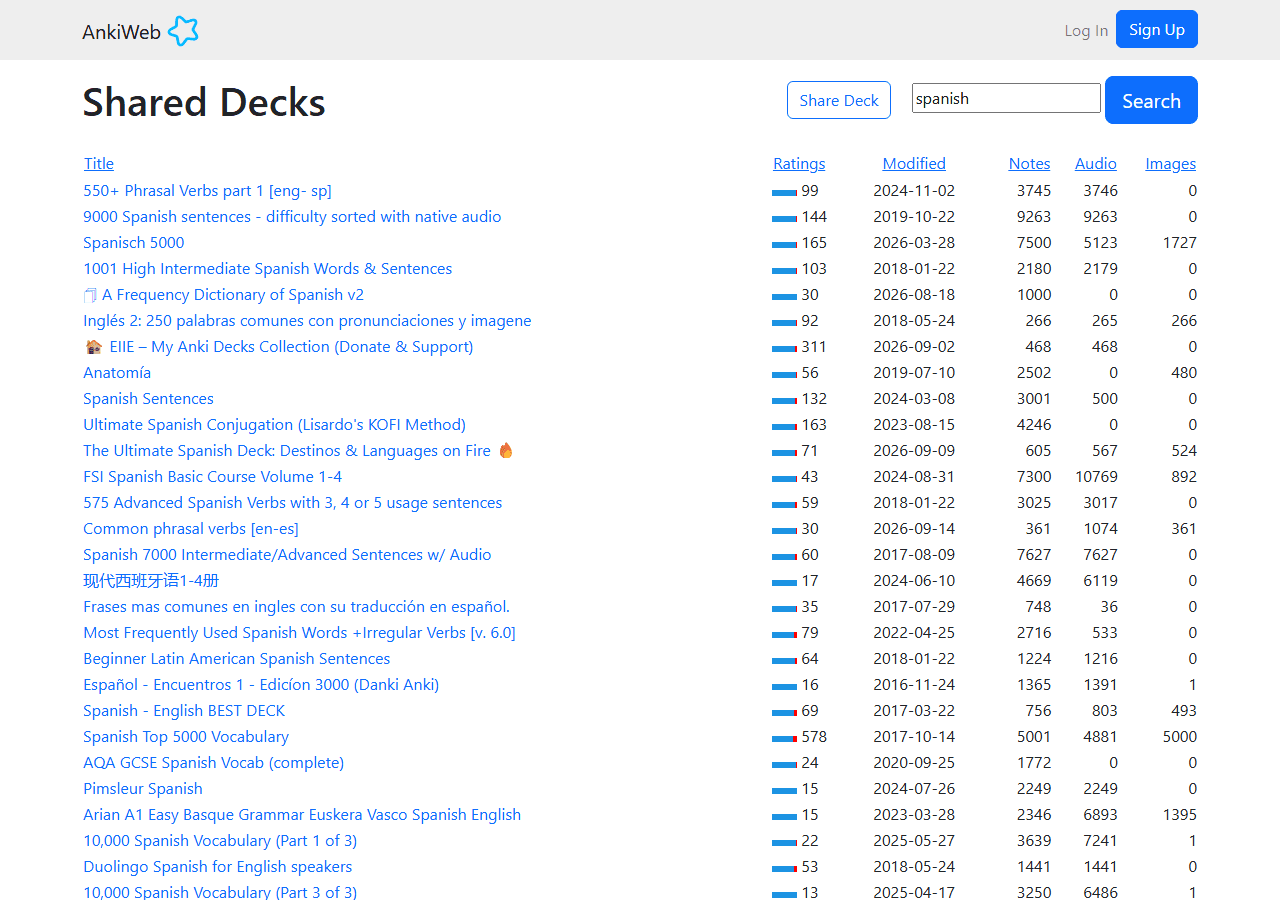
The official guidance, straight from the docs and every experienced user, is: make your own cards. And the docs are blunt about the flip side, in almost these words: a downloaded word list will not teach you a language. Shared decks are a supplement, not a substitute.
I can confirm this from the inside now.

My ten hand-made sentence cards from week one are still the cards I know best. Making them forced engagement.
Deciding what to put on a card, where to blank, whether the sentence was worth keeping, that’s all processing. The card is a byproduct of studying, not a replacement for it.
The fat shared deck, by contrast, gave me a conveyor belt of recognition without production. I could recognize “la alcaldía” when Anki showed it to me.
Could I have produced it in conversation, mid-sentence, with a human waiting? Absolutely not.
And that failure mode is familiar, because it’s the same freeze I’ve seen in Duolingo users, including a friend of mine who aced Spanish lessons for a year and then locked up completely when someone at a restaurant actually asked him something. Our Duolingo review covers that pattern in detail.
Giant frequency decks are the same trap in different packaging: hours of input-shaped activity, very little output capability.
There’s a real use for shared decks, to be fair. If someone’s made a well-structured deck for a specific exam, or a vocab supplement keyed to a textbook you’re already working through, importing it saves real time.
The failure isn’t shared decks existing. The failure is shared decks as your plan.
The review pile, burnout, and daily caps

The thing nobody warns you about hard enough: the review pile is forever.
New cards you add today generate reviews tomorrow, and next week, and next month, forever, as long as you keep the deck. This is how Anki is supposed to work, it’s why it works at all, but it means your daily commitment isn’t “learn cards,” it’s “service the machine.”
And the machine does not forgive skipped days. Skip two days and the queue swells.
Skip a week and you come back to a number that makes you want to close the app and take up birdwatching.
There is no streak owl. No notification gently guilting you with a frozen bird.
Just the number, growing, patient, indifferent. The queue is the leash, and honestly I ended up respecting it more than I respect gamified nagging.
The streak owl punishes you emotionally. The Anki queue just presents you with reality, and reality turns out to be its own motivator.
The practical fix, and it’s the single most important setting advice in this whole review: cap your new cards per day. Ten to twenty-five, depending on your tolerance. If you set it higher, or worse, import a 10k deck with the default settings, the review pile compounds into genuine dread within about two weeks.
Every Anki burnout story I’ve ever heard, and I heard several while writing this up among friends, ends the same way: “the reviews piled up and I stopped opening it.” The app didn’t fail.
The settings did.
Fifteen to twenty minutes a day, every day, with a modest new-card cap, is sustainable and effective. That’s the whole discipline.
It’s not much. It’s also not nothing, and Anki will not pretend otherwise.
Sentence cards vs. word cards
Within the Anki-for-languages world there’s a long-running fight about card design, and I ended up with a firm opinion after my two weeks.
The losing side, in my experience: isolated word-to-English cards. “Perro” on the front, “dog” on the back.
These are the regret cards. They’re fast to make, fast to review, and they teach you translation, which is a different skill from knowing a language.
They also strip out every contextual hook your memory could grab onto. A bare word is the hardest possible thing to remember and the least useful thing to have remembered.
The winning side: sentence cards, ideally cloze, with audio, drawn from input you already understood. My best cards were exactly this.
A real sentence from a real podcast, one word blanked, audio in my head. When one of those cards came up, I didn’t just recall a word, I recalled a scene.
The interval spacing then locked that scene into long-term memory with spooky efficiency. By the end of two weeks, cards I’d seen maybe four times total felt like things I’d known for years.
There’s a middle ground, sentence cards where you produce the whole sentence, or definition-based cards for advanced vocab. But if you take one card-design rule from me: sentences over words, always.
A sentence gives you grammar exposure for free, collocation for free, rhythm for free. A bare word gives you a quiz-show answer.
Add-ons, sync, and the ugly window
A quick tour of the stuff around the edges.
Add-ons are community extensions, and there are thousands of them on the shared add-ons page: better stats, custom card layouts, image search helpers, all kinds. They’re desktop-only, which matters, and they’re the reason some people’s Anki looks like a cockpit.
The catch: add-ons can break when Anki updates. An update lands, your favourite add-on hasn’t been updated, and suddenly a feature you relied on is just gone until a stranger on the internet fixes it.
For my two weeks I installed exactly zero add-ons and missed none of them, which tells you something about how optional they are at the beginner stage.
Sync via AnkiWeb was flawless for me. Free, fast at my deck sizes, and two-weeks-of-everyday-use reliable.
Just remember the quirk: shared deck imports happen in an app, not on the website.
The ugly window. I keep coming back to the aesthetics because “ugly” is the complaint people keep using about Anki, and it’s accurate, and I have thoughts. The ugliness isn’t just cosmetic.
The interface doesn’t tell you anything. The first run is a blank deck list.
The menus are deep. Settings are scattered across deck options, preferences, and card templates with the logic of a filing cabinet nobody reorganized since 2010.
Nothing about the design teaches you how to use the software. You learn Anki by being told, or by reading the docs, or by quitting.
Most people pick one of the first two eventually, but a lot of people pick the third immediately.
The counterpoint, and it’s fair: pretty interfaces that don’t work are a dime a dozen, and this one works. Every click, every pixel, is in service of the scheduler.
But “functional” and “hostile to newcomers” aren’t opposites, and Anki manages to be both at once. That tension is the through-line of this entire review.
Pricing: is it actually expensive?
No, with one asterisk shaped like an iPhone. The complete, full-power Anki experience on a computer or Android is exactly zero dollars, which, for software that outperforms subscription apps costing ten to fifteen bucks a month, is borderline absurd.
It’s free because it’s an open project, with development funded largely by the paid iOS app.
Desktop
Free on Windows, macOS, and Linux. This is the full machine: decks, card editing, statistics, add-ons, FSRS.
AnkiDroid
Free on Android. Full-featured, syncs without drama, and the best mobile Anki in the lineup because it costs nothing and does nearly everything the desktop does.
AnkiMobile
$24.99 one-time on the App Store. Not per month.
We saw version 26.09.2 on the download page.
Once. It funds development, it’s a companion rather than a replacement, and it doesn’t do add-ons.
If you’re on iPhone and serious about Anki, I’d pay it without much fuss. If you have a computer or Android, you can skip it and lose almost nothing.
Subscription language apps want $80 to $180 a year, forever, to rent their content. Anki wants either nothing or twenty-five bucks total.
The price is not the problem with Anki. The price is the one thing about it that’s friendlier than a golden retriever.
What I liked about Anki, and what wore me down
What I liked
Two weeks isn’t long, but it’s long enough for the shine to wear off and the actual product to show through. Here’s where Anki earned its keep for me, and where it started to feel like a chore with a calendar.
The scheduler is genuinely good. Once FSRS was on, the intervals made sense in a way I could feel.
Words I found easy drifted away fast. Words I fumbled came back sooner.
I never opened the stats screen and felt like it was lying to me. After years of apps that show you a “streak” and call it learning, seeing “you will probably remember this” tied to actual forgetting curves felt honest.
I also liked that it’s mine. My deck had words I met in a podcast, words from a menu I misread, a verb a friend used three times in one conversation.
Those cards stuck because they came from somewhere. When the app asked me “what did that mean again,” I remembered the context along with the word.
That’s not a small thing.
The price. Free on desktop.
Free on Android. Free sync through AnkiWeb.
I paid nothing for two weeks and got a spaced repetition system that’s arguably the best in the business. There’s a version number on the download page (we saw 26.09.2), which tells you it’s maintained, not abandoned shareware from 2011.
And it works offline, forever, with no account requirements. No upsell nagging me mid-review.
No “upgrade to see your streak.” The $24.99 iPhone app is the only money in the whole ecosystem, and it’s optional.
What wore me down
What wore me down.
The blank first run. I’ve said it before in this review but it deserves its own line under “wore me down”: opening Anki for the first time and seeing an empty deck list is the moment most people quit, and I felt it.
Anki hands you an engine and no car. You have to build the car.
Card-making is a tax. Every word I wanted to learn, I had to: find the sentence, decide the format, type the fields, find or record audio if I wanted it, tag it, review my own typing for errors.
Ten minutes of yacking with a friend produces maybe five usable words, and turning those five words into good cards took me another ten. The official documentation says make your own cards, and it’s right, but nobody warns you that “make your own cards” is a part-time job.
The look. It’s ugly.
I know that’s the complaint everyone uses, and I’m joining the chorus because it’s true. The desktop window looks like software you’d find on a CD-ROM.
The fonts, the buttons, the spacing. None of it is pleasant.
You stop noticing after a few days, mostly, but the first hour I kept thinking I’d done something wrong, like I’d installed the wrong app.
The leash. Skip a day and the review pile grows.
Skip two and you open the app with dread instead of intent. There’s no friendly owl forgiving you.
The queue just sits there, getting fatter, judging you in its ugly font. I hit day ten with a backlog because a weekend got away from me, and clearing it took forty minutes of reviews that felt like detention.
Horror stories, and who it works for
The horror story
Every long-term Anki user I know has a horror story, and I collected a few during my two weeks, including one of my own.
The classic is the 10,000-card import. Someone discovers shared decks, downloads a giant frequency list, sets new cards to unlimited, and rides the high for a week.
Then the daily review count hits four hundred, and the app becomes a job they resent. The deck doesn’t get deleted, exactly.
It just sits there, generating guilt, until one day they uninstall and tell everyone Anki is “too much.”
Mine was smaller. I imported one fat shared deck around day four just to see what it was like, and even with a 25-card daily cap, the new cards were words I had no relationship with.
I was passing them on recognition and then failing them a week later because nothing anchored them. My own five-card hand-made batches outperformed the imported hundreds.
I dropped the shared deck by day eight and didn’t miss it.
Another horror story: the add-on breakage. Desktop add-ons are community-built, they’re desktop-only, and they can break when Anki updates.
A friend had a review timer and a custom note type and three formatting add-ons, updated Anki one Tuesday, and two of them died. He lost nothing important, but he lost an hour fixing it, and that’s an hour of language learning spent doing software maintenance.
When it works
Who it works for. There’s a type of person for whom Anki is close to perfect, and I met a few of them.
The systems person. Someone who likes structure, doesn’t mind a spartan interface, and finds satisfaction in a cleared queue.
For them, the review pile isn’t dread, it’s a to-do list with a satisfying empty state at the end. They set their 10 to 20 new cards a day, they do reviews on the bus with AnkiDroid, and after a year they genuinely know several thousand words.
I believe them, because the scheduler is that good.
The heavy input person. Someone already consuming hours of podcasts, shows, and books in their target language, who uses Anki as a capture net for what they meet.
Their cards have sentences and audio and context because their life generates context. Anki isn’t their course; it’s their notebook with a brain.
That’s exactly the use case the official line points at, and it works.
The exam person. Med students, bar prep, kanji.
Defined body of material, defined deadline, high tolerance for grinding. Anki was practically built for this and it shows.
I’m partially that second person, which is why my score isn’t lower. But I’m not fully any of them, which is why it isn’t higher.
Who Anki is for
Concretely, from where I stand after two weeks:
You should probably use Anki if you already have a language habit and want a memory layer on top of it. If you’re reading, listening, or talking regularly and keep forgetting the same words, Anki will catch those words and keep them.
That’s the whole product, done well.
You should use it if you’re okay with “powerful and ugly” as a trade. If you’d rather have the best scheduler on earth behind a 2009 interface than a beautiful app with a worse algorithm, this is your software.
You should use it if you’re on desktop or Android, where the whole thing is free. The value proposition there is absurd.
A free, offline, sync-backed, FSRS-powered SRS system, and you pay with effort instead of money.
And you should use it if you like making things. The card-making tax is real, but for some people it’s part of the learning.
I felt a little of that myself. Typing out the sentence, hunting the audio, deciding the card.
The words I made cards for are the words I still know.
Who should skip it
Skip Anki if you’re a beginner looking for a course. It isn’t one.
There’s no path, no lessons, no progression from “hello” to past tense. It’s a memory tool, and if you point it at nothing, it remembers nothing.
Start with an actual course or our how to learn a language guide, and add Anki later if you need it.
Skip it if you’re only on an iPhone and price-sensitive. AnkiMobile is $24.99 once, it funds development, and it’s a companion rather than a full replacement, since there are no add-ons on iOS.
I didn’t need to buy it for my two weeks; I looked at the price and used desktop plus Android. If you don’t have that option and $25 stings, the whole ecosystem is a harder sell.
Skip it if the interface will bother you daily. I’m serious.
Some people can look past ugly; some people’s soul quietly erodes. Know which one you are.
Skip it if you know yourself to be a binge-and-abandon person. Anki punishes binges specifically.
A missed day is a bigger pile, and a missed week can be a wall. If your history with habit apps is three weeks of fervour followed by a shrine of guilt, the queue-with-no-forgiveness model will hurt you.
Pros and cons
Pros
- The scheduler, especially with built-in FSRS, is excellent. Intervals felt right, retention is tunable around a ~90% default, and the legacy SM-2 option still exists if you want it.
- Free on Windows, macOS, Linux, and Android. Free sync through AnkiWeb. No subscription.
- It’s yours. Local data, offline use, no account nagging.
- Own-made cards with sentences and audio genuinely stick. The words from my hand-made cards survived; the imported ones mostly didn’t.
- Huge ecosystem of shared decks and desktop add-ons if you want them.
- Genuinely maintained software, version 26.09.2 on the site, with real documentation.
Cons
- The blank first run. No onboarding, no starter deck, no guidance. The quit moment.
- Card creation is a tax on your time and attention.
- It’s ugly, and the ugliness is a feature of the experience, not a footnote.
- The review pile is a leash. Miss days and it tightens.
- Shared decks, the thing beginners reach for first, are explicitly a supplement, not a shortcut, and a downloaded word list will not teach you a language.
- Add-ons are desktop-only and can break on updates.
- iOS costs $24.99 and isn’t a full replacement for desktop.
- Zero help with production, speaking, or listening. It’s recall training, full stop.
What we'd use instead, or with it
I wouldn’t throw Anki away. I’d use it in combination, and I’d be picky about the combinations.
For absolute beginners, use a course first. Something with a path, sequencing, and actual teaching, whether that’s our Spanish material, our English lessons (139 of them, starting at Lesson 1), or a structured app.
See our Duolingo review and the rest of our reviews for how the big apps stack up. Once you’re meeting real words in real content, then add a memory layer.
For the memory layer itself, obviously, we built Yak Cards for exactly this reason. Anki is powerful and unfriendly.
Yak Cards is our attempt to keep the power and drop the unfriendliness. Cards that start as sentences and audio from input you already understand, no blank-deck moment, no interface from another decade.
I’d be lying if I said otherwise, and this is my site.
For structure plus humans, a tutor or a conversational partner is worth more than any deck. A spaced repetition system can make sure you remember a word; it cannot make you able to say it when a friend asks you something and the clock is ticking.
That freeze is real, and I hit a mild version of it even with my small deck.
Anki’s best role, in my opinion, is as one tool in a stack: input you enjoy, a course or guide for structure, real conversation, and Anki as the retention engine for the words that matter to you. Solo, it’s an engine without a car.
In a stack, it pulls hard.
What others are saying
The chorus is remarkably consistent, and it matches my two weeks almost point for point.
The consensus, stitched together: powerful, ugly, a card tax, a burnout risk if you overdo new cards, a permanent argument between the sentence people and the vocab people, and absolutely not a speaking tutor. I have nothing to add to that consensus except that it’s accurate.
FAQ
Prices, plan names, and features below are as of September 2026.
Is Anki actually free?
Yes, on desktop (Windows, macOS, Linux) and Android (AnkiDroid). Sync through AnkiWeb is free too.
The only paid piece is AnkiMobile on iOS at $24.99, one time, which funds development. I used it for two weeks on desktop and Android and paid nothing.
Do I need to buy AnkiMobile if I have an iPhone?
Not necessarily, but it’s the native iOS option. It’s positioned as a companion rather than a replacement for desktop, and it has no add-on support.
I didn’t need it for my two weeks; I looked at the price and stuck with desktop plus Android. If your phone is your only device, it’s a one-time cost, not a subscription.
Should I download a shared deck with thousands of words?
I’d hold off. The official line is that shared decks are a supplement, and that a downloaded word list will not teach you a language.
My own experience agrees: the imported deck gave me recognition without any ability to produce, and even the recognition faded. Shared decks need to be imported into an app first, not onto AnkiWeb directly, so it’s a deliberate act.
Make it deliberately and sparingly.
What is FSRS and should I turn it on?
FSRS is the modern scheduling algorithm, built into current Anki. It models your forgetting curve and aims for a default of roughly 90% retention.
Yes, turn it on if you’re starting fresh. If you used the old FSRS add-on back in the day, it’s obsolete now that FSRS is built in.
The legacy SM-2 algorithm still exists as an option if you have old settings you trust.
How is Anki different from Quizlet?
Anki wins the scheduler, full stop. The spaced repetition logic, FSRS, offline use, ownership of your data.
Quizlet wins ease: sign up, type some words, go, with a friendlier face and less setup. If you want the best memory engine, Anki.
If you want the least friction, Quizlet.
How is Anki different from Yak Cards?
Honestly: we built Yak Cards because Anki is powerful and unfriendly. Yak Cards keeps the spaced repetition and the sentence-based cards and drops the blank first run, the card tax, and the ugly window.
I still respect Anki enormously. It’s the reason any of this works the way it works.
How many new cards should I do per day?
Somewhere around 10 to 25, and I’d start at the low end. That’s the range where the review pile stays a habit instead of becoming dread.
Unlimited new cards feels great for about five days and then the reviews avalanche. Also remember: “Hard” means you did recall it, just slowly or shakily.
“Again” is the only fail button.
Can I skip days?
You can, but the queue doesn’t forgive. Reviews pile up and come back all at once.
There’s no streak owl, no gentle hand on your shoulder. The queue is the leash.
Plan for the days you’ll miss, or keep the daily load light enough to survive them.
Will Anki teach me to speak?
No. It trains recall. Reading a card and remembering the answer is a different skill from producing language under pressure, which is why even a big deck can leave you frozen when a friend asks you to say something.
Pair it with real conversation practice.
Does Anki work offline?
Yes, fully, once you have the app and your deck. Sync happens when you’re back online through AnkiWeb.
I reviewed cards on the subway with no signal and nothing complained.
After two weeks: the verdict
I went into this expecting to respect Anki and not enjoy it, and that’s roughly what happened, except I respected it more than I expected and enjoyed it slightly less.
The respect part: the scheduler is the real thing. FSRS gave me intervals that felt correct, my hand-made sentence cards stuck hard, the whole ecosystem cost me nothing on desktop and Android, and the software is clearly alive and maintained.
Two weeks of fifteen minutes a day with my own small deck measurably moved words into long-term memory. I can’t fake that and I wouldn’t want to.
The enjoyment part: the first run is a blank deck list and that’s the quit moment. Card-making is a tax I paid every single session.
The interface is ugly in a way that goes from shocking to merely grim but never becomes pleasant. And the review pile turns from satisfying routine into dread the moment life interrupts you, with no forgiveness built in anywhere.
Where that lands me: Anki is a 7 out of 10 Yaks tool that behaves like a 9 out of 10 Yaks tool if you’re the right person for it. If you already have input flowing, if you like making things, if you’ll cap your new cards and clear your queue like a responsible adult, it’s close to indispensable and nearly free.
If you’re a beginner looking for a course, or someone whose motivation needs a friendlier face, it will eat you.
I’ll keep a small Anki deck around for words I meet in the wild. For everything else, structure, teaching, and not dreading my phone, I’ll use a course and Yak Cards alongside it.
The engine is worth keeping. The car, I’d rather build differently.
7 out of 10 Yaks